
QR Code Visitor Check In
Every facility gets a unique QR code. Visitors scan it with their phone camera, fill a short form, and check in. The same code handles checkout too.
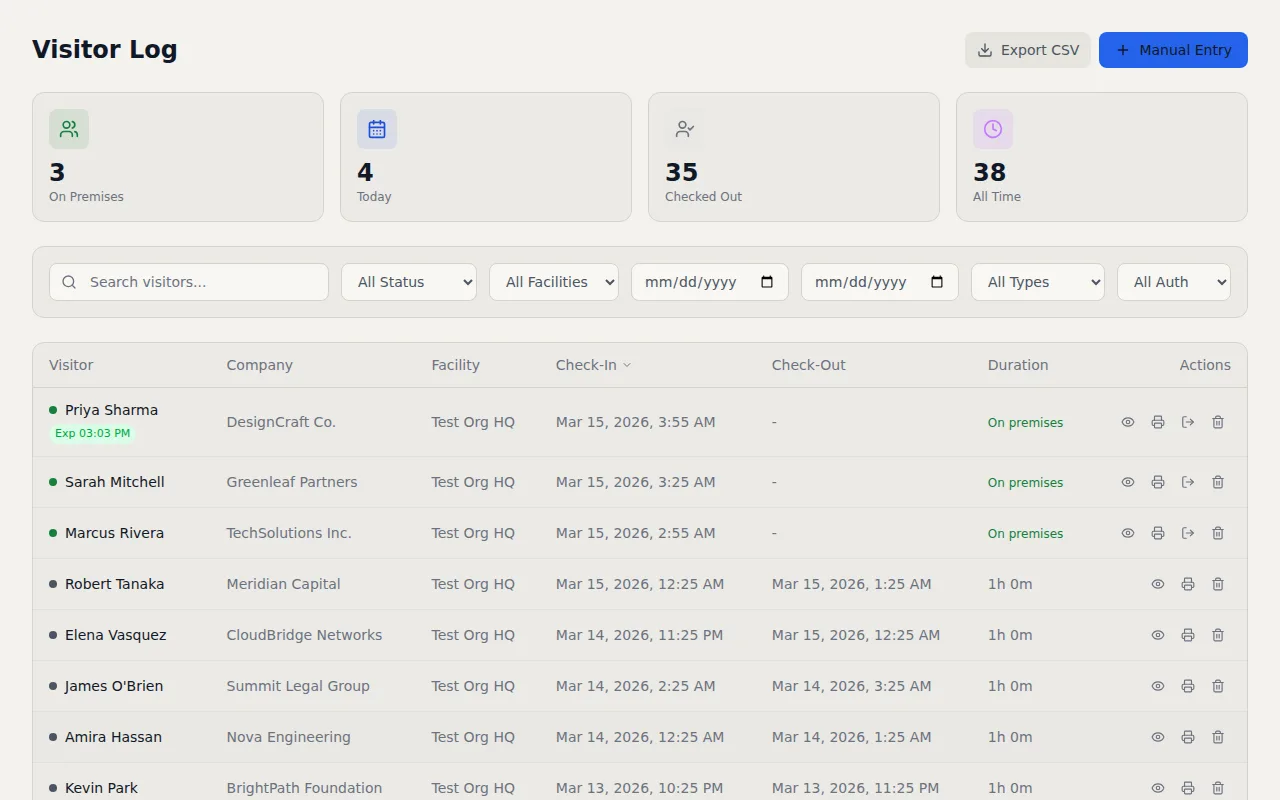
Key Capabilities
- QR Code Check-In — Visitors scan a facility QR code with their phone camera — no app required
- Manual Check-In — Front desk staff can check in visitors directly from the dashboard
- Pre-Registration — Register expected visitors in advance so their check-in is faster
- Self-Service Checkout — Visitors check out by scanning the same QR code or tapping a link in their confirmation email
- Visitor Types — Categorize visitors as contractors, clients, vendors, interviewees, or custom types
- Custom Fields — Add facility-specific questions to the check-in form with configurable field types
How It Works
Most visitor management systems force guests to download an app, create an account, or stand in line at a front desk while someone types their information into a computer. That process wastes time for visitors and staff alike. I built VisitorLog's QR code visitor check in to eliminate all of that friction.
Here is how it works. You generate a unique QR code for each facility through the dashboard and print it on a sign, a sticker, or whatever makes sense for your lobby. When a visitor arrives, they point their phone camera at the code. It opens a short form in their browser where they enter their name, company, reason for visit, and any custom fields you have configured. One tap and they are checked in. The host gets notified instantly by email or SMS. The whole process takes about 15 seconds from scan to confirmation.
Checkout uses the same QR code. Visitors scan it again and confirm they are leaving, or they can tap the checkout link in their confirmation email. For visitors who forget to check out (it happens more than you would think), configurable auto close rules will end the session after a set number of hours so your active visitor list stays accurate. You set the threshold per facility, and the system handles the rest.
Beyond the basics, QR code check in supports pre registration so you can add expected visitors ahead of time and speed up their arrival. When a pre registered visitor scans the QR code, the system recognizes their email address and pre fills their information so they just confirm and go. Staff can also perform manual check ins from the dashboard for situations where a visitor cannot scan the code, like when someone arrives without a phone or needs accessibility accommodations. Custom fields let you collect facility specific information like vehicle plate numbers, equipment being carried, or the floor they are visiting. Visitor type categorization (contractor, client, vendor, interviewee, or your own custom types) gives you clean data for reports and compliance audits down the road.
The entire check in experience runs in the visitor's mobile browser. There is no app to install, no account to create, and no login to remember. That matters because every step you add to check in is a step where visitors get frustrated or give up. I kept the flow as simple as possible on purpose. A visitor's first interaction with your building should feel effortless, and the QR code approach makes that possible without sacrificing the data you need for security and compliance.
Frequently Asked Questions
Do visitors need to download an app to use QR code check in?
Can I customize the check in form fields for each facility?
What happens when a visitor forgets to check out?
Related Features
Visitor Check In Kiosk
Turn any Android 6.0+ tablet into a self service check in kiosk. Customizable welcome slideshows, dual display support, and over the air updates. No proprietary hardware required.
Visitor Badge Printing Software
Badges print silently the moment a visitor checks in. No print dialogs, no manual steps. 300 DPI rendering with customizable templates and two color label support.
Visitor Notification System
Real time email and SMS notifications the instant a visitor checks in or out. Custom templates, daily digests, checkout reminders, and host approval by text reply.
Try it free
No credit card, no trial period. Create your account and start managing visitors in minutes.