
Visitor Notification System
Real time email and SMS notifications the instant a visitor checks in or out. Custom templates, daily digests, checkout reminders, and host approval by text reply.
Key Capabilities
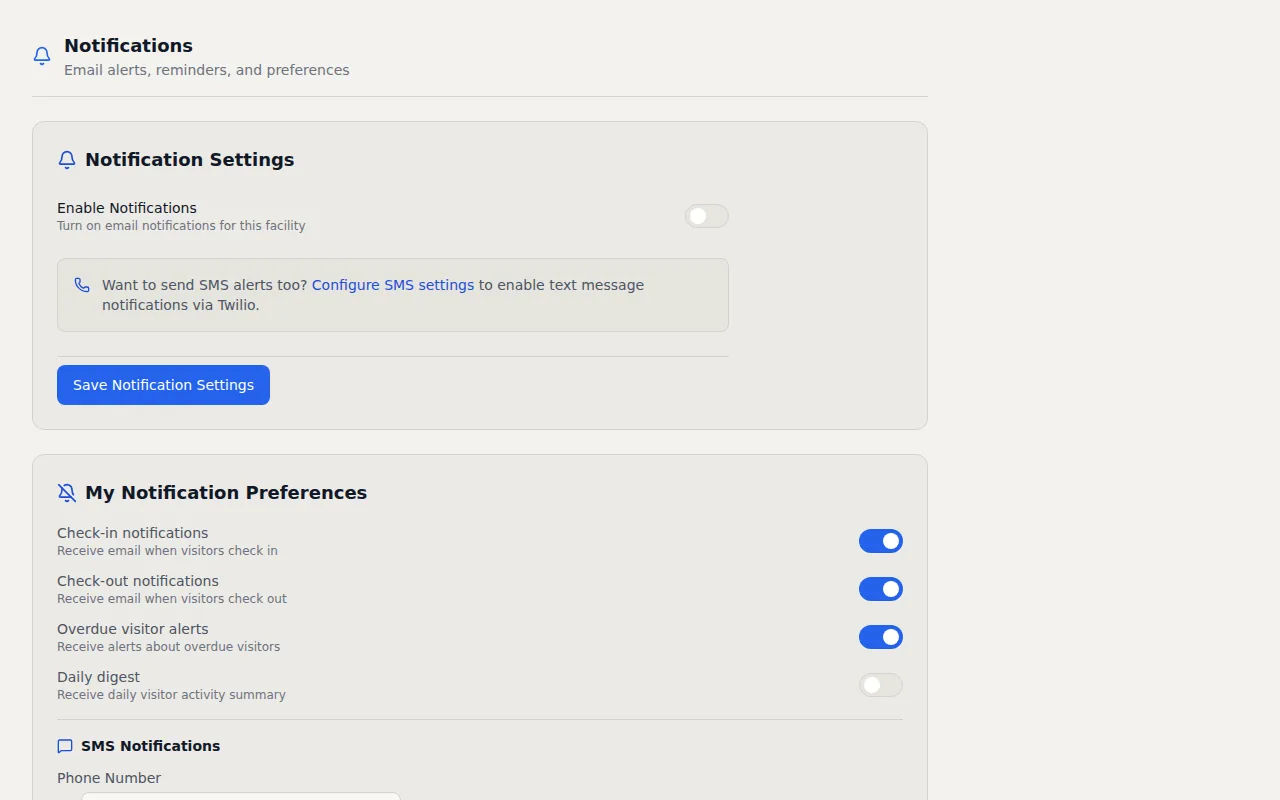
- Email Alerts — Instant email notifications on check-in, checkout, and overdue visitors
- SMS Notifications — Text message alerts via Twilio with per-facility phone numbers
- Custom Email Templates — Design branded notifications with the built-in WYSIWYG editor
- Daily Digest — Automated daily summary emails with visitor counts and activity highlights
- Checkout Reminders — Automatic reminders sent to visitors who overstay their expected duration
- Host Approval via SMS — Hosts approve or deny visitors with a text reply
How It Works
A visitor standing in your lobby for five minutes because their host did not get the notification is a bad first impression. I built VisitorLog's visitor notification system to make sure that never happens. The moment someone checks in, the right people know about it through the channel that reaches them fastest.
Email notifications fire instantly on check in and checkout events. Each facility can use custom email templates built with a WYSIWYG editor so the notification your receptionist sees at the corporate office can look completely different from what your warehouse manager receives. You control the branding, the layout, and what information appears. Beyond individual alerts, daily digest emails summarize all visitor activity into a single morning report for managers who want the overview without the constant interruption of individual alerts. For a facilities director overseeing five buildings, that daily digest is often more valuable than dozens of real time pings throughout the day.
SMS notifications add another layer through Twilio integration. Each facility can have its own Twilio account, phone number, and message templates. When a visitor arrives, the host gets a text message. In high security environments, hosts can approve or deny entry by replying APPROVE or DENY directly to the text. This bidirectional SMS flow means the host does not need to be at their desk or even have access to email. They make the call from their phone in seconds, and the visitor is either granted entry or politely informed that their host is unavailable. The approval window expires after one hour so stale requests do not linger in the system indefinitely. If the host misses the text, the visitor is informed rather than left waiting in the lobby with no feedback.
Notification routing gives you granular control over who gets notified and when. Configure notifications per role so owners get everything, admins get check in alerts, and escorts get only the visitors assigned to them. Checkout reminders automatically nudge visitors who have been on site longer than expected, keeping your active visitor list accurate without manual follow up. Every notification includes the visitor's name, company, host, reason for visit, and timestamp so recipients have full context at a glance. You never have to ask "who is this visitor and why are they here?" because the notification already answered both questions before you walked to the lobby.
Frequently Asked Questions
Can hosts approve visitors by text message?
Do I need my own Twilio account for SMS notifications?
Can different staff members get different types of notifications?
Related Features
QR Code Visitor Check In
Every facility gets a unique QR code. Visitors scan it with their phone camera, fill a short form, and check in. The same code handles checkout too.
Visitor Security Screening
Three configurable security tiers that match screening depth to your facility requirements. From basic sign in to full ID verification with NDA signatures and mandatory host approval.
Visitor Analytics Dashboard
Traffic trends, peak hours heatmaps, visitor type breakdowns, and facility comparisons. Schedule reports to your inbox or export to CSV.
Try it free
No credit card, no trial period. Create your account and start managing visitors in minutes.