Visitor Badge Printing Software
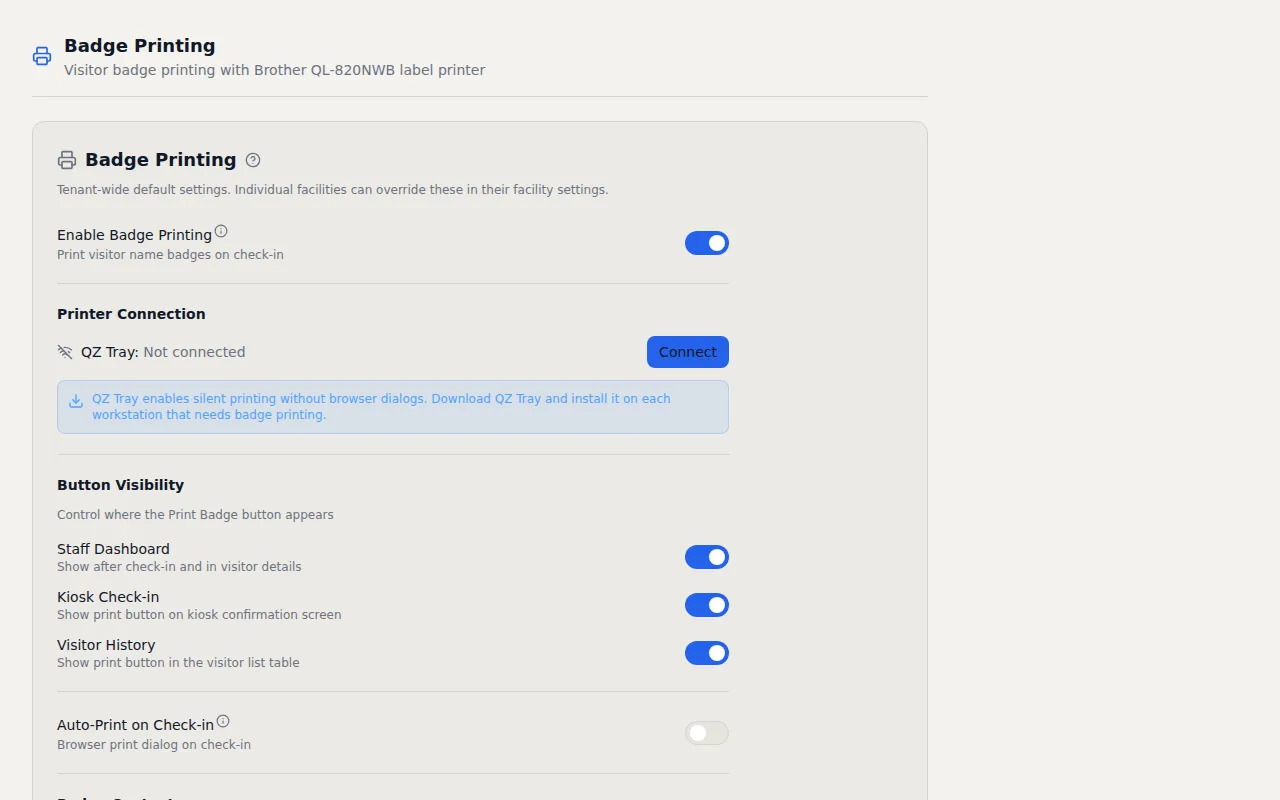
Badges print silently the moment a visitor checks in. No print dialogs, no manual steps. 300 DPI rendering with customizable templates and two color label support.
Key Capabilities
- Silent Printing via QZ Tray — Badges print automatically with no browser dialogs or manual intervention
- Auto-Print on Check-In — Every visitor gets a badge the second they check in, no staff action needed
- Two-Color Red & Black — Red and black printing on Brother DK-2251 labels for visual distinction
- 300 DPI Rendering — Sharp text, clean logos, and scannable QR codes every time
- Per-Field Typography — Control font, size, weight, and color of each badge field to match your brand
- Per-Facility Templates — Each facility gets its own badge layout
- Validation QR Code — Every badge includes a scannable QR code for instant visitor verification
- Badge Expiration — Set expiration from 1 to 72 hours with automatic validation failure
How It Works
Visitor badges serve two purposes. They identify who belongs in your building, and they create a visual cue that makes unauthorized people stand out immediately. The problem with most visitor badge printing software is that it turns a simple concept into a painful process involving print dialogs, manual formatting, and expensive proprietary printers. I took a different approach.
Badges in VisitorLog render at 300 DPI using the Canvas API in your browser and print through QZ Tray, an open source print agent that sends jobs directly to the printer without any browser dialog. When a visitor checks in, the badge prints automatically. Your front desk staff does not need to click anything, confirm anything, or even look at a screen. The badge is ready before the visitor reaches the desk. For environments where speed matters (think buildings with hundreds of visitors per day), that zero touch workflow makes a real difference in lobby throughput.
Each badge includes the visitor's name, company, host, check in time, and a validation QR code that staff can scan to verify the badge is legitimate and not expired. Badge expiration is configurable from 1 to 72 hours, so a badge printed Monday morning will not grant visual credibility on Tuesday afternoon. The template system lets you control per field typography (font, size, weight, color) and create different badge designs for different facilities. Want the visitor's name in large bold text and the company in smaller muted type below it? You control every detail.
For hardware, I designed the system around Brother QL label printers with DK 2251 labels, which support two color printing (red and black on white). That means you can print visitor names in black and "VISITOR" or "ESCORT REQUIRED" headers in red for instant visual distinction. Security teams love this because they can spot badge types across a room. The Brother QL 820NWB runs about $200 and connects over your local network. If you do not have QZ Tray installed or prefer a simpler setup, VisitorLog falls back to standard browser printing with window.print() so you are never locked out of badge printing entirely.
Per facility configuration means your headquarters can use auto print with red and black labels while a satellite office uses simple browser printing on a standard label printer. The system adapts to what you have rather than forcing every location into the same hardware requirements. Start with browser printing today and upgrade to silent QZ Tray printing whenever you are ready, one facility at a time.
Frequently Asked Questions
What printer hardware do I need for visitor badge printing?
How does silent badge printing work without print dialogs?
Can badges auto print when a visitor checks in?
Related Features
QR Code Visitor Check In
Every facility gets a unique QR code. Visitors scan it with their phone camera, fill a short form, and check in. The same code handles checkout too.
Visitor Check In Kiosk
Turn any Android 6.0+ tablet into a self service check in kiosk. Customizable welcome slideshows, dual display support, and over the air updates. No proprietary hardware required.
Visitor Security Screening
Three configurable security tiers that match screening depth to your facility requirements. From basic sign in to full ID verification with NDA signatures and mandatory host approval.
Try it free
No credit card, no trial period. Create your account and start managing visitors in minutes.